How to Add Icon to Menu Items
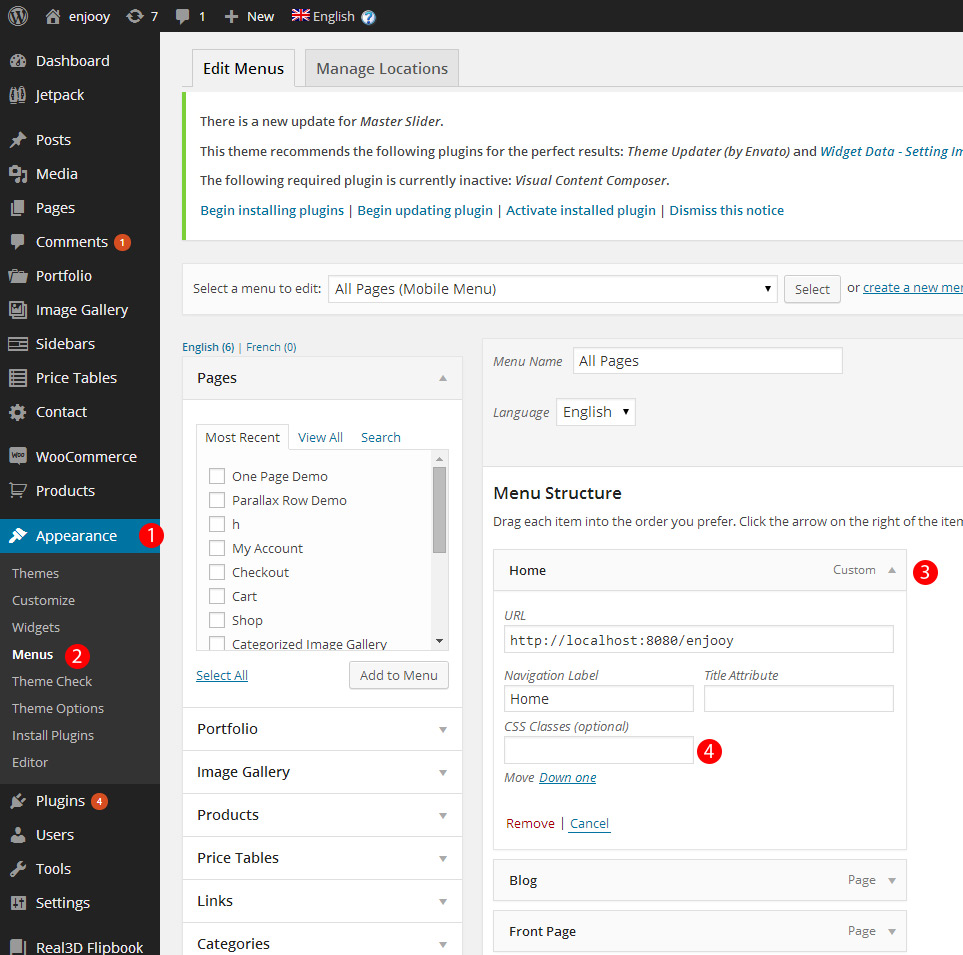
Adding icons to menu items an easy process. Follow the steps as described on following figure below.
Note : Before beginning, if you are not seeing “CSS Classes (optional)” box, go to “Screen Options” (located top-right of Menus page) and check “Show advanced menu properties > CSS Classes” option.
1 – Go Appearance
2 – Select “Menus”
3 – Expand an item by clicking on the head.
4 – Click/Focus on “CSS Classes (optional)” box.
Please see next figure after this steps.
An icon selection window must appear like below;
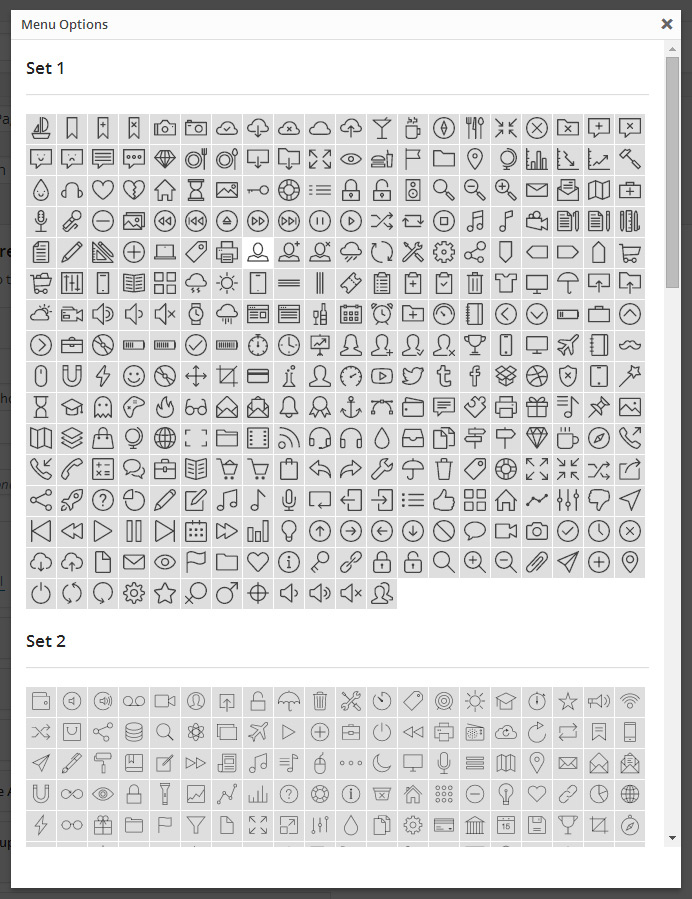
Select on of available icon, and “Save” your menu once you done with editing your menu items.